Showing posts with label open source. Show all posts

Thursday, June 13, 2013

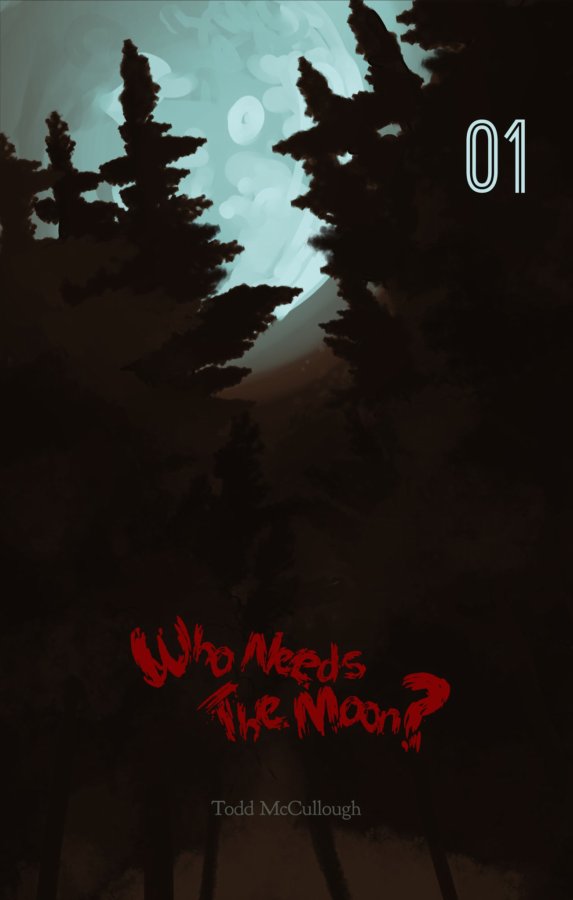
Who Needs the Moon? #1 for sale through me


While I wait for ComiXology to publish the first issue of my mini series (I'm tired of twiddling my thumbs) I've decided to start serving up the issues myself as they come, by the way of the gumroad here on my blog.

Like Benny said in the film Total Recall, "I got five kids to feed."

He lied though. And so am I. I only have two kids to feed.

So that being said, it seemed like a good idea to try and get these out to the public myself.

So if you like supernatural stories or comics in general, why not take a look? The first issue is only a $1 and you'll be supporting an indie creator. The comic was entirely made with open source software. Inkscape, scribus, mypaint, gimp and krita.

Best viewed with the cloudreaders app on iOS or the Aldiko app on Android. Both free. 

As for eReaders, I don't own one, but I should think that they can read pdf's? But if you have a black and white eReader that only supports text, you are probably out of luck.

There's always the computer!

Monday, December 3, 2012

Better Late than Never


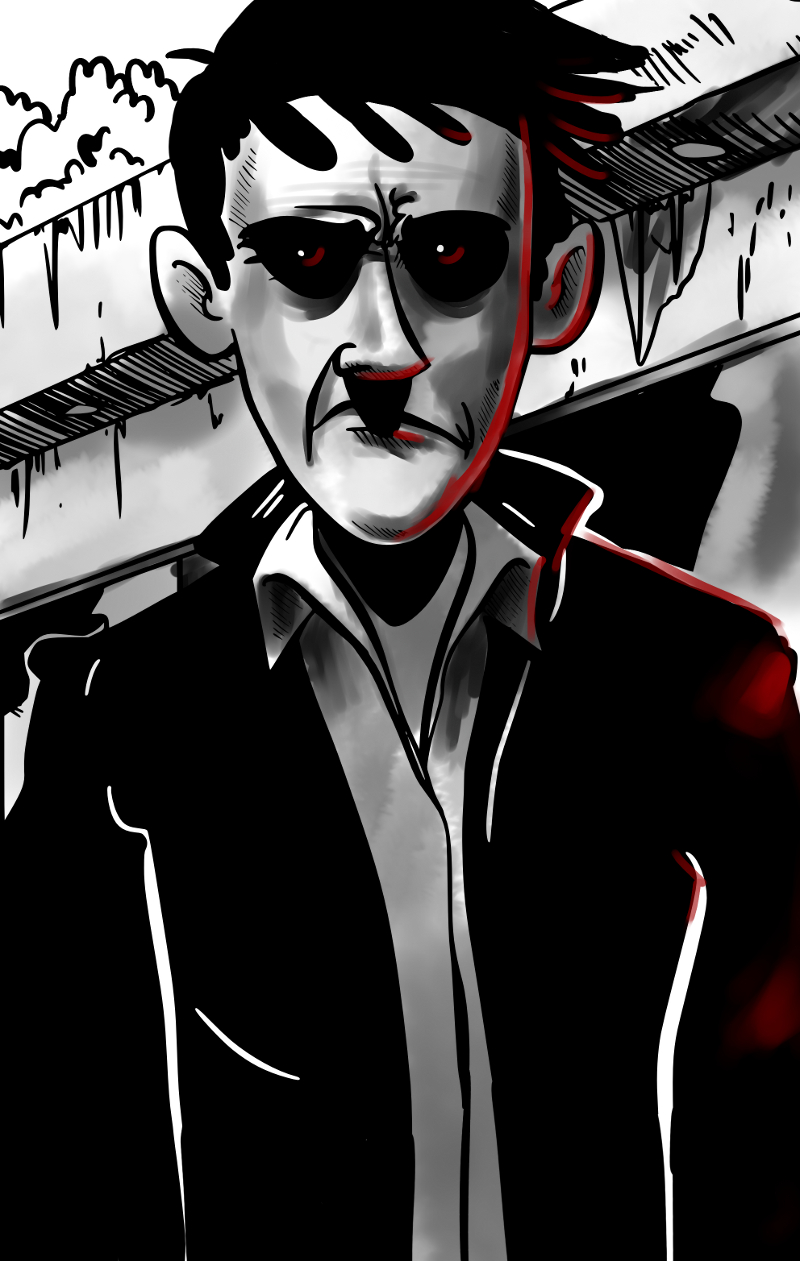
I've finally gotten the first set of images completed for "Who Needs the Moon", and I am very happy with the fruits of my labour so far.  As of now, the pages are currently being hosted over on comic fury. So, if you like sequential art, why not go and take a look at what I've done and let me know what you think of the story so far.

I've learned a lot about my own work habits, tools and software working on this first portion of the book.  Overall, my artistic style has kept close to what I originally envisioned, but due to time constraints and other responsibilities, the approach to polishing has taken a different turn.

As posted here earlier, I had planned to use a few tones of grey to colour and block out the art, but have chosen to no longer go down that road.  After a few pages, I was no longer happy with the result and the time that it took.

However, I do like the look of painting with grey, using blend brushes, and feel that it might be nice to paint the entire book that way.  We'll have to wait and see.

For now, I need to outline, plan and write the rest of the book, so I am more certain of where it will go.

Also, I think I am going to try and see if there might be any interest out there for a publisher to work with me and publish and distribute the book.
Originally, I intended to use a font throughout the book that I had grabbed from blambot.com.  I was also using some other fonts for posters and chapter pages etc.  However, I didn't like the idea of having to pay someone a license fee should I get the comic published. I'm not against paying a one time fee up front, but a licensing fee seems a bit excessive.

So, for some things here and there, I am using open source fonts from the league of moveable type which have created a great catalogue of fonts for everyone to use personally and commercially.  Currently I am using Goudy Bookletter 1911 by Barry Schwartz for the title pages of each chapter.  There are other open font libraries that I will be looking into in the future.

There was one problem though, I wasn't very happy with the selection of comic fonts available in the open font offerings online.  Because of this, I decided to make my own font, which I've called Drawn Icon and which will be licensed under the SIL's open font license when I feel that it is completed.  Currently it needs some more TLC before I feel that it is truly ready for everyone to use.


Enough already I guess. Please go have a read and let anyone you think might be interested know that the start of the book is online.

Warning!  Mature content, even more so in the future.

Thank you.

EDIT:
I have since removed the images from dropbox as of today March 13th 2013.

Tuesday, August 7, 2012

Hatching a Grey Plan

So... What have I learned while making this comic?

Well I learned that I needed to set up my comic, in such a way that it would be easy and enjoyable to read.  I spent probably too much time looking for a plugin that would allow me to do that here on Blogger.  Unfortunately there isn't such a thing. At least I didn't search long and hard enough to find out if there was, and besides it looks like Wordpress is the choice for web comic publishing.

I considered setting up a Wordpress comic site using the plugin found at webcomic, but there were problems presented here that I didn't want to deal with any longer.  Primarily, creating a website and paying someone to host it, which in my opinion is a waste of money in this day and age and the free options available.  I wanted a free solution at whatever cost (go figure, and there are costs), and wanted to do it using Blogger, but soon realized that wasn't going to work out.  The images that make up your comic need to be housed somewhere, and then each page needs its own separate html link, or some kind of code that keeps track of the images to post the right one when you click the next button, or the back button, etc.

What to do?

I kept searching, I wasn't about to start dealing with html coding again.  Luckily, I stumbled pretty quickly on ComicFury.

Hallelujah!

I was worried that there would be some things that I would need to agree to that would make using a free site service like theirs unappealing.  Fortunately, so far that doesn't seem to be the case.  And, currently, I think anyone interested in creating a web comic should consider them.  They give you the free hosting, and only ask that you place their personal advertisement on your webcomic, which you don't even have to agree to do. But...  Why wouldn't you help the people helping you?

You are free to advertise there whatever you want on your pages. Obviously within acceptable limits.

I decided to use them almost instantly, and therefore knew that I needed to get my first 25 pages completed to have it up there pretty soon.  And, so I got to work. I needed a cover to place there, so viewers have something to see in the meantime, and created this after whittling down an idea into something that I could use in many ways.


I have always had the intention to print this comic sometime in the near future, and so I had a definite look that I was striving for.


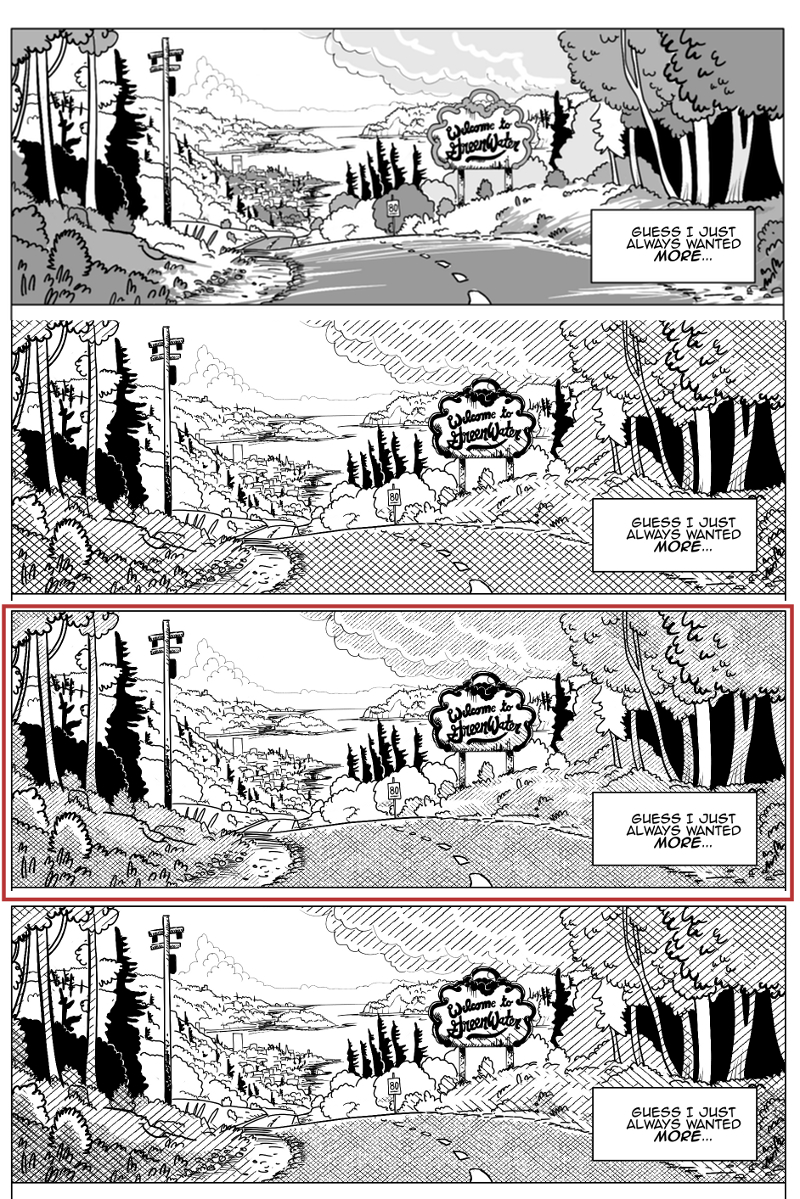
However after spending some time working with a system to speed up hatching - by basically placing a hatched image into the file as a layer, and then masking it to add and remove it from portions of the page - I discovered that it looked kind of poor when shown at a decent web size with a width of 800px.  The hatching just created too many artifacts at that resolution, and these distortions were just too glaring for me. I then fooled around with line width some more and line spacing to see if it cleared it up.  But there seemed to be always problems.  I didn't want to make concessions on the hatching, which would look fine in print, but it looked like I would have to.

I could make each comic page larger, but I think it would ultimately ruin the user experience by forcing the reader to pan around too much.  If this comic were not intended for print, I would use a layout that works better with keyboard navigation, but the intent is to print later...  Anyways...

Later a decent compromise presented itself.  I decided to make the masks themselves different shades of grey and this looks great on the web.  Heck, it even looks good on paper I bet.  What this means is that I have something that looks great on a monitor, and I am sure it either looks just as good on paper and if not I can use the layers to place the hatching when I go to print.  But I am now toying with the idea of making each shade of grey a different color, because it looks great now and has opened some new possibilities.  We'll just have to see.


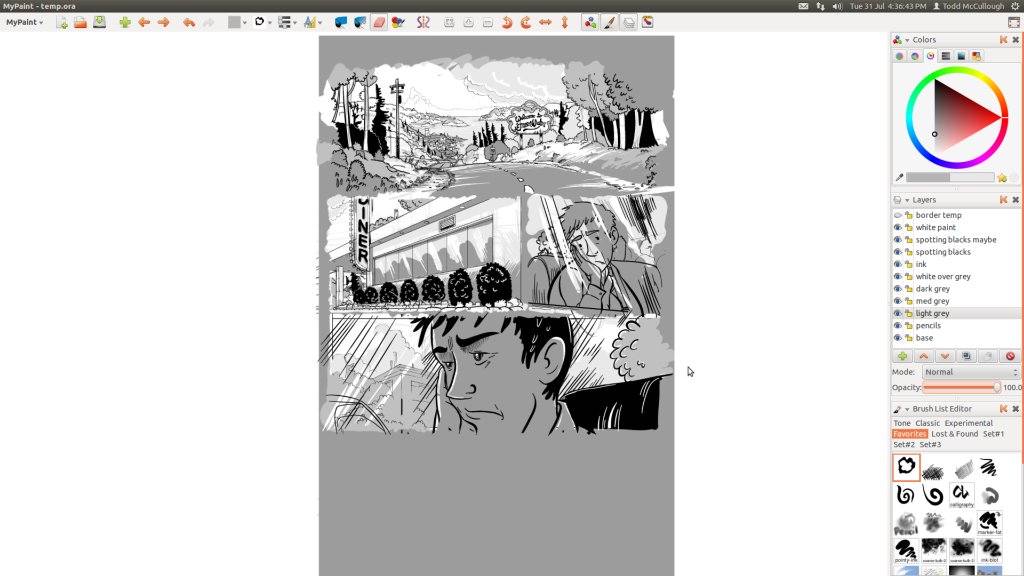
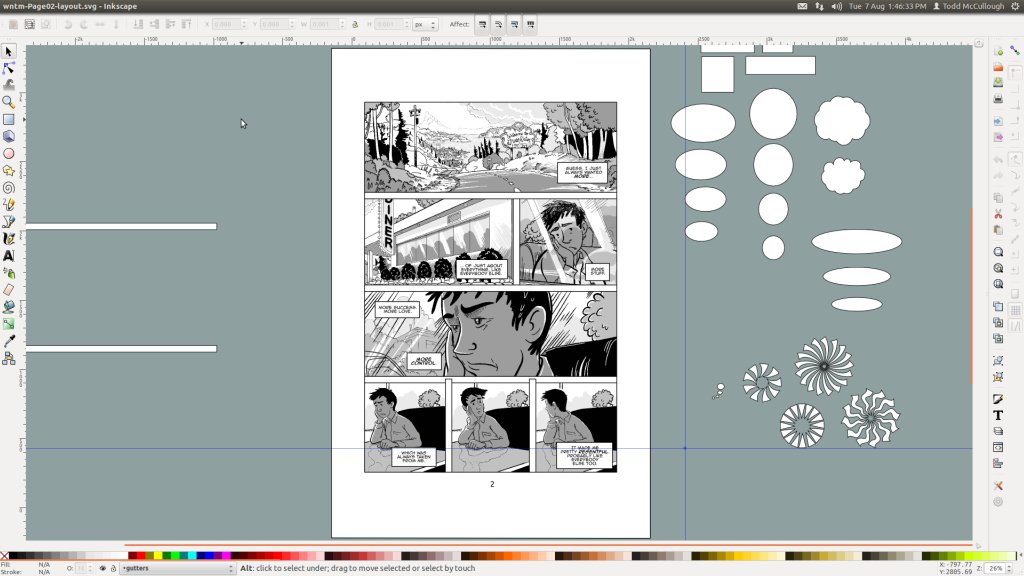
Here is a little taste of what I partly did to end up with the almost completed page 2 of my graphic novel 

Pencilling, inking and painting in MyPaint.


Refining the image.  Once I get this process down, I hope to make better time on later pages.


GIMP for the bridge between MyPaint and Inkscape.  Please fix the GIMP.  2.8 Crashes so often on my rig.


Inkscape to prepare the final layouts and text.


Wednesday, July 18, 2012

Another Process Post

I've been working on the first 25 pages of the graphic novel.  After doing some research today, I may have to cut one page, depending on whether it is affordable to print the comic up smaller "montly" issues.  But, it certainly looks like print may just be too expensive to do unless it is all one volume, or if you are a major publisher that can afford to print a really large amount of issues.

So I'm pretty settled into the production process now.

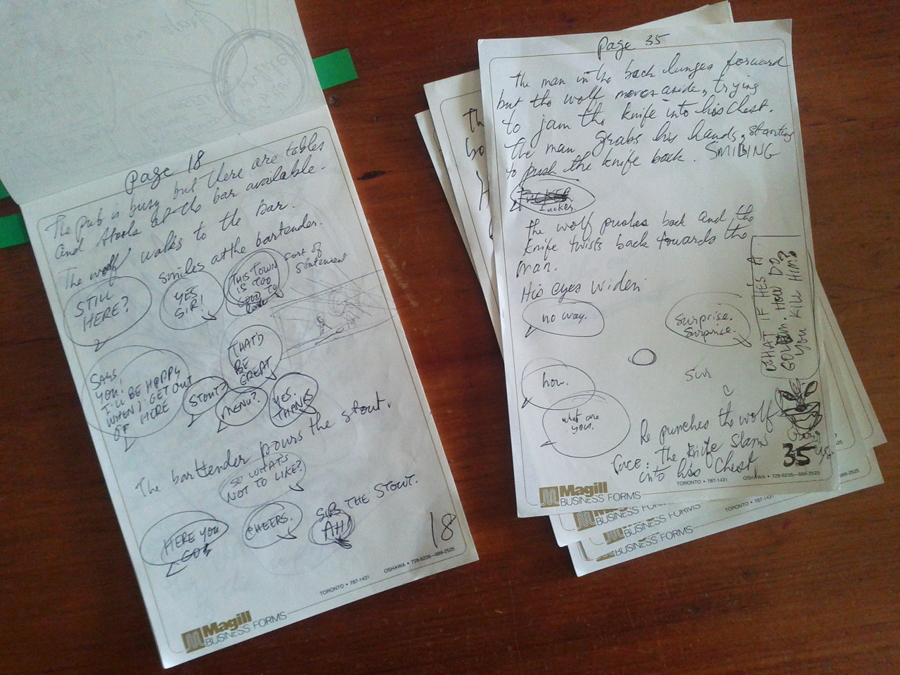
Personally, I first start with a small pad of paper or notebook, where I just quickly try to jot down the story, page by page.  At this early stage, I'm not really doing much more then putting down some basic narrative, dialogue or plot ideas that map out the story.  I find it convenient to do it like this, because it's easy to carry around and work on it anywhere.


This drafting stage has been very beneficial to me.  The text is enough to remind me of what I plan on drawing in that page, and without thumbnails, it allows me to alter the mental layout of the page if it needs a different flow.


Some of this work could end up becoming scrap once I type it into the computer, using Libre Office, I've debated using google drive for this, but decided for now to keep everything on my own system.

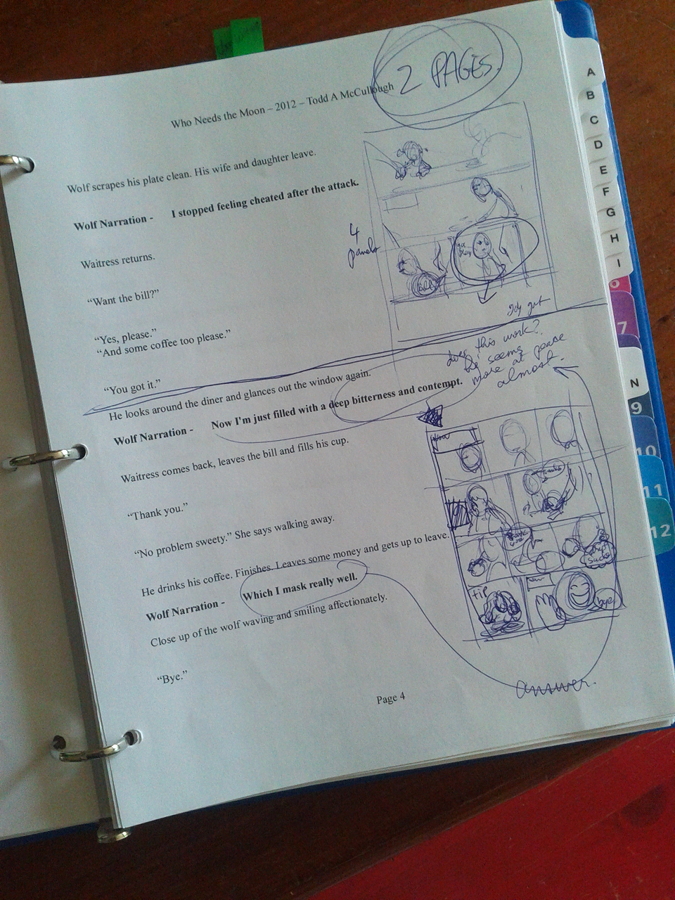
Next I start typing the pages out into my desktop. I then print out these pages and place them all into a binder, organized into revision tabs.  This way I can again easily edit then anywhere, marking out and revising narration and speech.  I can also figure out if a page needs to be broken up into more pages, and start the thumbnails while I edit.

Although it is all maybe a little time consuming, I think it is actually extremely beneficial, and so I will continue to force myself to do it.  The best laid plans are well thought out in advance.


Once things are starting to make sense and I am ready to start making the pages, I first create the layouts for every page in Inkscape.  I then work with MyPaint to sketch the pages and then the GIMP to bring it all together.

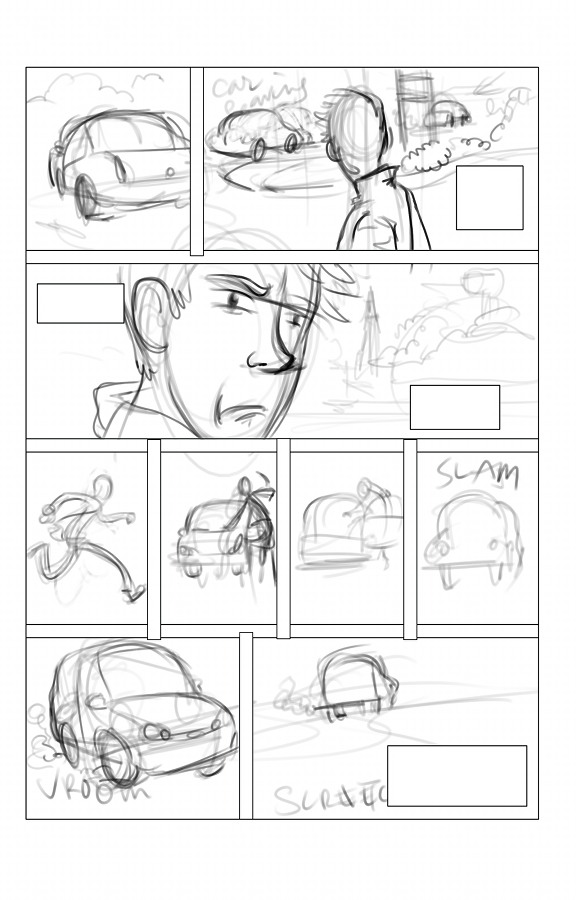
So below, you'll see the basic roughed in page, with crude images to get a sense of placement. Just blocking in at this point.

 After I am happy enough with the rough images, and all the pages are roughed out. I then move on to tightening up the images.  For me, this has been where the look of the characters has started to be fleshed out more.  I've tried to sketch some of the supporting characters, but with little success, because it just feels out of context, and it seems I need the story and panels to really feel it all.
Some of the panels require the use of a the background being repeated.  So for this I've decided to just duplicate the "pencils" of the background into each panel with the GIMP.  Later I'll free hand the "inks" of each panel separately, to give each a unique visual stamp.
I hope to have the first 25 and the cover up by mid August. Hopefully I can hit that mark, and - fingers crossed - people read it.

As an aside, making a living as an artist is not all it's cracked up to be.  

Has it ever been?  

While I wouldn't say I'm starving - my kids aren't currently going hungry either - it would certainly be nice to have some more money to get a little more out of life.

Sure, I could always look for work with another company - which I have done in the past, and would certainly take any current proposals! - but the reward of creating my own personal artistic vision is too enticing to stop striving to do this book and any other project I choose to create.


Thursday, June 28, 2012

Sharing my Comic Template

Hi there. I have something that may be of use to some of you out there.


Here is the TEMPLATE.

Tonight I have started working on the layout of the first 25 pages of my book Who Needs the Moon.
Once it's ready I will be putting it online here for you to read in the new page that I will be opening up soon on this blog.

To create the book, I will be using Inkscape to do all the borders, speech balloons and text for the comic.  I think I have found a document size that works well for printing, and which can be shrunk down in order to be placed on the internet.

If you want a comic template to use, you can use this one until your hearts content and not have to worry about paying a fee to me or giving me credit.

I hope it saves you some time.

As I work on the book more, I'll add things as I need them and will update the file and link.


NOTE: The values of the template were sort of arbitrarily chosen. It is sort of a mix of industry sizes. I mainly measured out sizes from different graphic novels that I liked and then chose one for myself. This is not a template that conforms to marvel/DC or Manga standards.

Tuesday, March 27, 2012

Break time - Sculpting Digital Clay

So I've recently felt that I needed to give the comic some time to simmer.

If you fool with something too long - as I am wont to do - you can seriously mess twist and warp a good idea into a bad one.

When working on personal projects I have this nasty habit of over tweaking ridiculous details that bring nothing to the table to improve the work in front of me. Later, when I am starting to get pressed for time, I rush things and find myself disappointed with the end result.

I do not intend to do the same thing with any of my projects in the future. I will take the time - sure -  to do it right. But, from now on, I will write things down, make well laid plans and ensure that the end product is hopefully good to someone else other than me.

So anyways, I have been fooling with Sculpting in Blender again. In the future, I will be getting into a few animated projects that I think will have quite a few models and objects that make use of sculpting.  So I plan on using some of my time every once and I while to dedicate to focusing on a few areas in 3D that need practise. Maybe even fool with some film here and there.


Proportionately, these heads aren't very accurate - no reference was used - and they could use some even finer details, which I might add later. Never mind the ears, I almost ignored doing them, focusing instead on the faces.  Mainly, these quick sculpts are meant to make me more familiar with all the sculpt tools  that are now available in Blender.


Currently I am only skimming the surface of the tools, making use of the default settings mainly, but eventually I hope that I have a formula that works well with me that I can use effectively to create great looking models.

In the last few releases, Blender has really improved in the areas of sculpting. Some great features have been added in to the program, and some others just down the pipeline. With Google Summer of Code soon to start it will be interesting to see what else gets added to an already fantastic program.

Tuesday, September 27, 2011

Parental Leave

This is my best work.
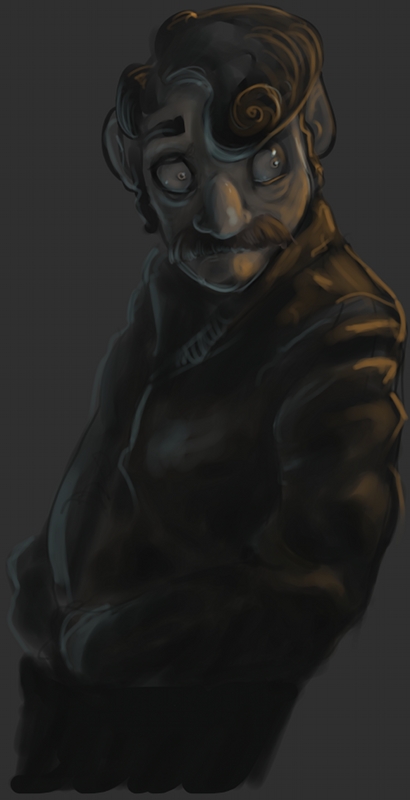
While I'm not busy with them (which is usually never), I'm trying to squeeze in some time to draw something, anything really. Although I haven't found the time to do much at all. Usually, I'm exhausted and not quite feeling all that creative in the evenings when I am a little more free. During the day however my brain does wander from time to time and the stories in my mind get better and better. Here are some 30 minute sketches that I threw together in MyPaint, with maybe a little post here and there in the GIMP. The main focus was just colour and light.

Thursday, April 14, 2011

Even More

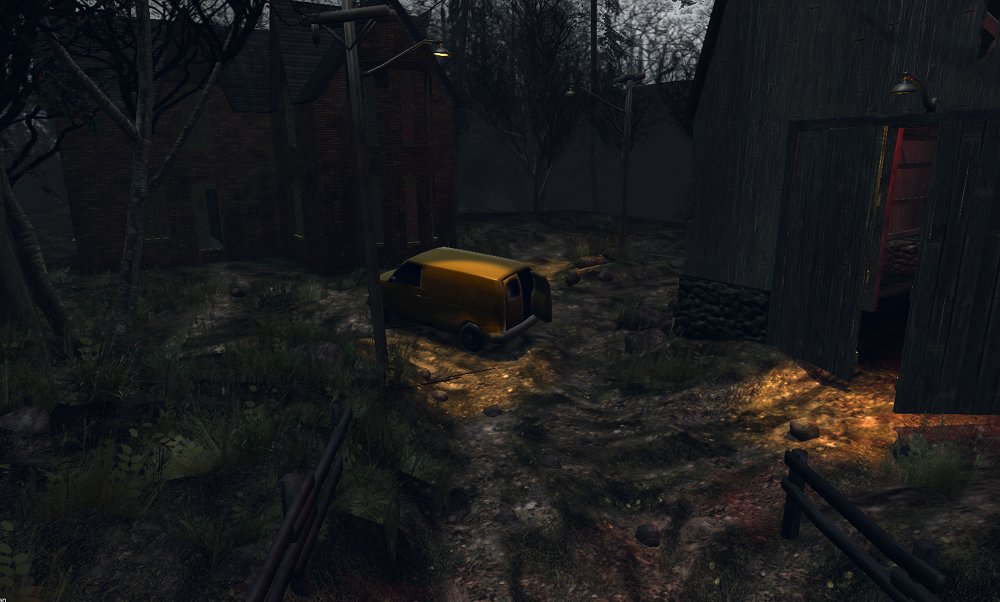
This is an image dump of 3d work that I've created for personal projects over the last little while.


Tuesday, February 1, 2011

Lampy Illustration

In a world of darkness and lost souls, everyone wants to steal another being's light.

Saturday, January 15, 2011

Background Painting

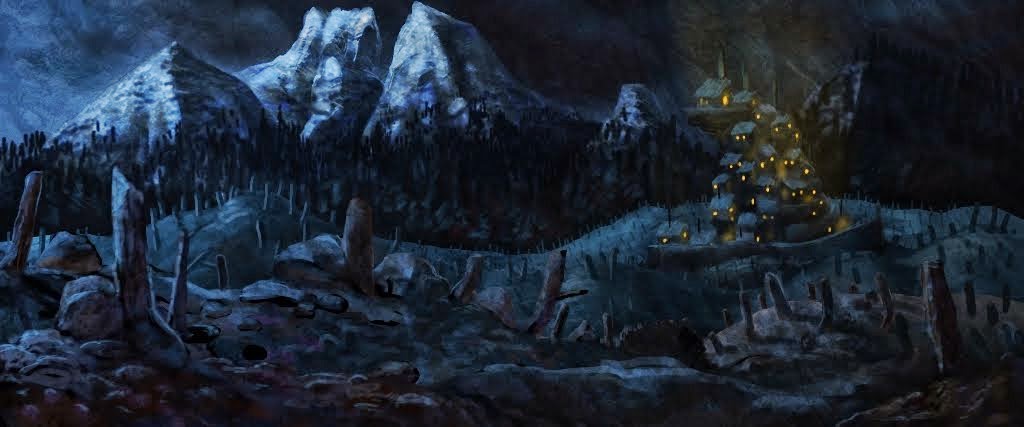
This is a fairly quick background painting, for my toony short. The buildings are almost placeholder because I may want more details as I zoom in.


I'm trying to figure out what process I'll be going through in order to complete my short. I am also trying to figure out how I will be working on things in the future. It looks as though a good mix of 3d and 2d is a great way to work on things when you work alone.

Sketch 5


Quick pencil sketch brought and painted on in MyPaint